Lift list
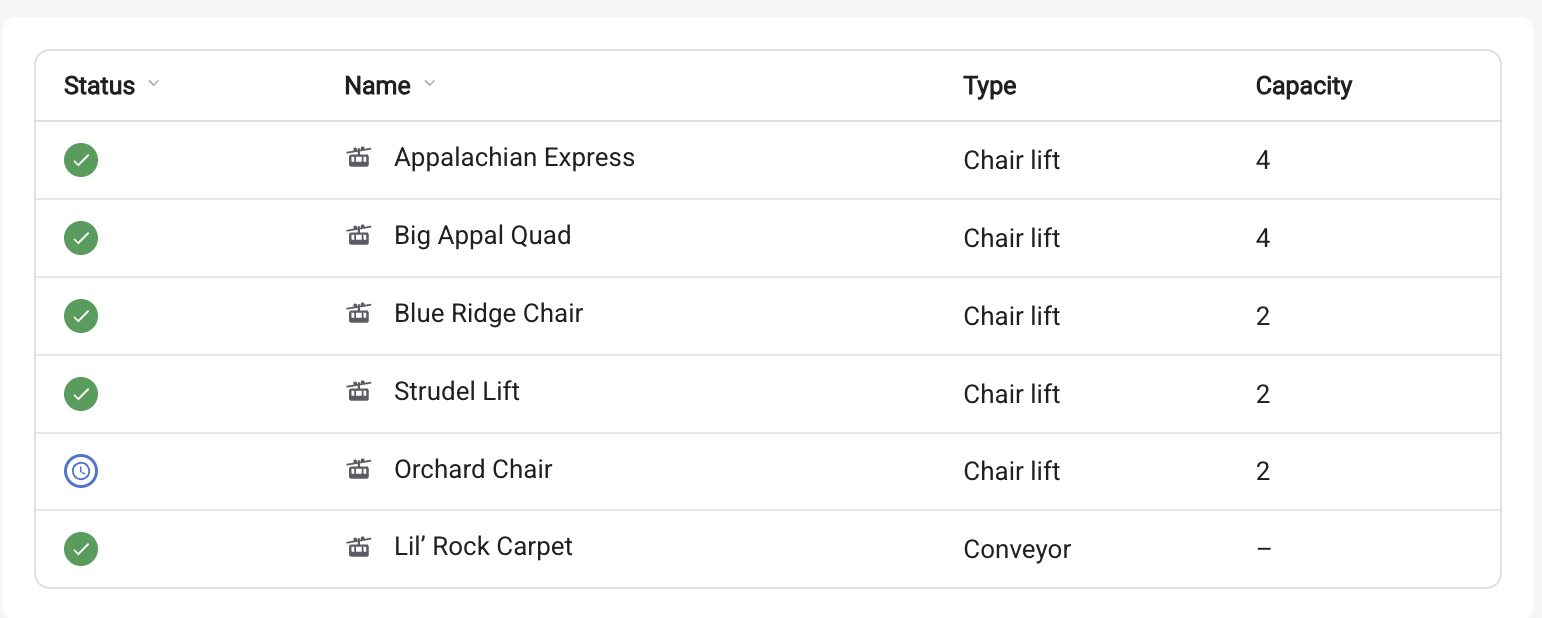
<ullr-lift-list> is the lift equivalent of the trail list:
every lift with its current status, type, carrier capacity and vertical, sortable
by whichever columns you allow.
Install
<script type="module" src="https://widget.ullr.ski/web-components/ullr-lift-list.js"></script>

<ullr-lift-list
  apiKey="1a2b3c4d5e6f.yourPublishableKey"
  areaId="your-area-id"
  sport="SNOW"
  visibleColumns="status,name,liftType,carrierCapacity"
></ullr-lift-list>
Required scopes
lifts:read, and nothing else — the list reads the lifts endpoint and never
asks for the area itself.
Lift data comes from Ullr’s GIS module, so the area’s subscription must include
GIS. A key with lifts:read at an area without the GIS module gets a 403.
Columns
| Key | Shows |
|---|---|
status | Running / on hold / closed indicator |
name | Lift name |
liftType | Lift type — labelled Type in the dashboard |
carrierCapacity | People per carrier — labelled Capacity |
vertical | Vertical rise |
The dashboard turns on status,name,liftType,carrierCapacity and leaves
vertical off.
Attributes
Common attributes
Shared by all four embeds.
apiKeystringRequired{id}.{secret}. Sent as the api-key header on every request the element makes. Without it the element logs an error and renders nothing.areaIdstringRequiredsportSNOW | BIKEOptionalSNOWthemestringOptional#6B8CF9. Three- or six-digit hex only; anything else is ignored and the sport default is used. The secondary colour is derived automatically.#6B8CF9 (snow) / #50A162 (bike)timestampnumberOptionallifts:readHistory. The live scope is not enough on its own: without the history scope the request is refused and the embed renders empty, with no error shown to your visitors.ullrKeystringOptionalapiKey, kept so older snippets keep working. Only read when apiKey is absent. Use apiKey in new code.Lift list options
visibleColumnsstringOptionalstatus, name, liftType, carrierCapacity, vertical. The dashboard labels the last three Type, Capacity and Vertical.all columns, in the order abovesortableColumnsstringOptionalevery visible columnsortColumnsstringOptionalcolumn:direction pairs, e.g. status:asc,name:asc. Anything other than desc is treated as ascending.status:asc,name:ascautoScrollbooleanOptionalfalseautoScrollSpeednumberOptionalautoScroll is on.30autoScrollPageDurationnumberOptionalautoScroll is on.10000scalenumberOptional1enableEventsLiftSelectionbooleanOptionalullr-lift-selected, so embeds on the same page stay in sync when a lift is selected. Switches on both directions at once.falseEvents
Set enableEventsLiftSelection="true" and the list joins the page-wide
selection channel — it announces what a visitor tapped, and highlights whatever
another embed selects. The one attribute switches on both directions. Lift
selections travel on their own event name, so they never disturb a trail list
sitting alongside. See syncing embeds with events for the
protocol and worked examples.
Emitted
ullr-lift-selecteddetail: { liftId: string, senderId: string }enableEventsLiftSelection.Listened for
ullr-lift-selecteddetail: { liftId: string, senderId: string }autoScroll animation is running.Notes
- There is no
unitsattribute on the lift list. Vertical always renders in feet. The trail list’sunitsdoes not apply here. - Auto-scroll, scroll speed, page duration and
scalebehave exactly as they do on the trail list, which makes a paired trail-and-lift board on one TV straightforward.